November 9, 2026 · 6 min read
How to Print a Digital Pet Portrait: Sizes, Paper and Framing
By ToiletWags
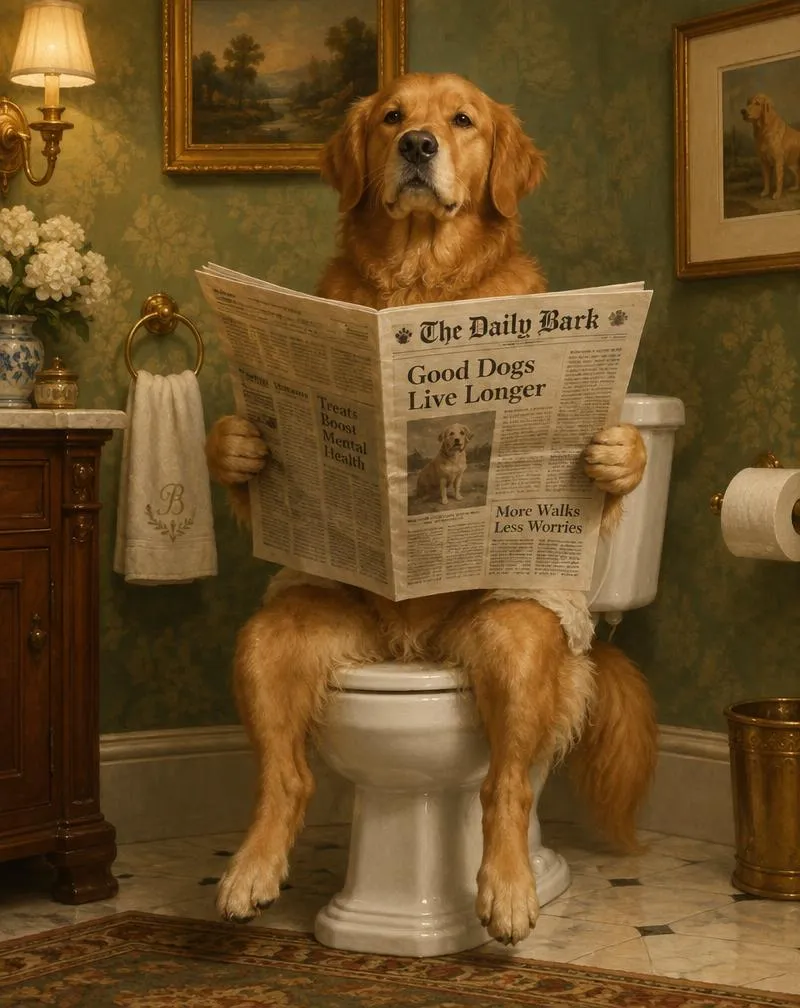
To print a digital pet portrait, start with the original artwork file, check its pixel dimensions, and choose a print size with the same shape. Preview the crop before ordering, then select paper and a frame. Those checks matter more than a file simply being labelled “high resolution.”
This guide explains how to turn your dog or cat’s digital portrait into wall art without accidentally trimming their ears or stretching their face. ToiletWags supplies digital artwork; printing and framing are arranged separately.
1. Start with the original file, not a screenshot
Download the delivered artwork and keep an untouched copy. A screenshot, social-media download, or image saved from a small email preview may contain fewer pixels than the original. If you received a download link, download the file itself before sending it to a printer.
Open the file’s information or properties and find its width and height in pixels. On Windows, look under Properties and Details; on a Mac, use Get Info or Preview’s inspector. File size in megabytes alone does not tell you how large the picture can print.
If you are still preparing your order, our pet portrait photo guide explains how to choose a clear reference photo. The reference photo and the finished artwork are different files: check the finished artwork when planning your print.
2. Work out a suitable print size
Pixels per inch, or PPI, describes how many image pixels fit into an inch of the finished print. A useful starting target for a detailed print viewed nearby is 300 PPI, although the printer’s requirements and viewing distance also matter. Adobe explains this in its printing basics guide.
The calculation is simple: pixels ÷ print size in inches = PPI. A hypothetical 2400 × 3000-pixel file printed at 8 × 10 inches gives 300 PPI on both sides. That is an example, not a promise about the dimensions of every ToiletWags file. Ask us to confirm suitability for your intended size before ordering a large print.
Common portrait print sizes at 300 PPI
Use this reference when talking with your print shop. Measurements are width × height for a portrait orientation; reverse them for landscape artwork.
| Print size | Shape ratio | Pixel dimensions |
|---|---|---|
| 4 × 6 inches | 2:3 | 1200 × 1800 |
| 5 × 7 inches | 5:7 | 1500 × 2100 |
| 8 × 10 inches | 4:5 | 2400 × 3000 |
| 8 × 12 inches | 2:3 | 2400 × 3600 |
| 11 × 14 inches | 11:14 | 3300 × 4200 |
| 12 × 16 inches | 3:4 | 3600 × 4800 |
A larger print uses the same pixels over a wider area, so its PPI falls. Changing a resolution setting to “300” without adding genuine detail does not make a small file sharper. If a printer flags low resolution, request advice about a smaller print or a suitable file rather than dismissing the warning.
3. Match the artwork’s shape before choosing a frame
Aspect ratio means the relationship between width and height. An 8 × 10 print has a 4:5 ratio; an 8 × 12 print has a 2:3 ratio. They are different shapes, even though both are eight inches wide.
For a 4:5 portrait going into an 8 × 12 print area, a service generally has three choices:
- Fit the full image: retain the composition and leave a border where the shapes differ.
- Fill the paper: crop some artwork to cover the entire area. Check the preview for clipped ears, paws, crowns, and scene details.
- Stretch the image: distort the proportions. Avoid this option for a portrait.
A mat can bridge the difference between the print and the outer frame. Check the mat’s opening as well as the frame size: the opening may cover a little of the image around its edges. Buy the frame after deciding on the artwork size and crop.
4. Choose paper and ask the printer the right questions
Matte paper is an option when you want a low-sheen finish; satin or lustre offers a different surface appearance. Glossy paper has a reflective finish. The best choice depends on the artwork, lighting, and your preference, so look at the printer’s actual paper samples when possible.
For a bathroom portrait, keep the display away from direct splashes and persistent condensation. Ask a framer about an appropriate enclosure for your room; a frame should not be treated as waterproof protection.
Before uploading to an online service or visiting a local print shop, ask:
- Is this file suitable for the exact size I want?
- Will the order fit the whole image or crop it to fill the paper?
- Do you need a particular file format, colour profile, border, or bleed?
- Can I disable automatic photo enhancements if they alter the artwork?
- Can I order a small proof before paying for a large print?
Follow that provider’s specifications rather than converting formats or colour settings at random. Keep the original file and make any requested changes to a copy.
5. Check the preview, then make a small proof
Zoom in on your pet’s face and inspect the full composition in the order preview. Confirm orientation, crop, borders, and quantity. A preview is useful for placement, but your screen cannot guarantee the final printed colour.
For home printing, select the correct paper size and paper type, check whether borderless printing crops the image, and print one copy first. For a large or important gift, a small proof lets you assess the finish before committing to the final size.
Printing a ToiletWags portrait
Our portraits are custom digital artwork created by human artists from your pet’s photos. Browse the dog and cat bathroom portrait gallery to choose a scene, then create your custom pet portrait. The current digital offer includes one revision; physical prints and frames are separate purchases you arrange.
If you already have a frame or a specific print size in mind, contact ToiletWags before ordering to confirm what is suitable. Do not assume a gallery preview is the print-ready file or that every frame shape will preserve the whole composition.
Frequently asked questions
Can I print a digital pet portrait at home?
Yes, if your printer supports the paper and size you want and the artwork has suitable pixel dimensions. Start with the original file, review the crop, and make a test print. A print shop is another option if you need a size or paper your home printer cannot handle.
Is 300 DPI the same as 300 PPI?
They describe different things. PPI refers to pixels in the image at a chosen print size; DPI refers to a printer’s dots per inch. Print services sometimes use “300 DPI” as shorthand for an image-resolution requirement. Check the pixel dimensions they ask for.
Can I make an 8 × 10 portrait into an 11 × 14 print?
Those sizes have different ratios. To keep the whole image, you may need a border or mat. To fill the entire 11 × 14 area, some artwork must be cropped. Also check that the file has enough pixels for the larger size.
Does ToiletWags send a framed print?
The current offer is a digital portrait delivered by email. Printing and framing are arranged separately. If you are choosing a gift, allow time for your chosen printer and framer as well as the artwork.
Your pre-print checklist
- Use the original delivered artwork.
- Check pixel dimensions against the intended print size.
- Match the image ratio or deliberately choose a border or crop.
- Confirm paper, file requirements, and any automatic enhancements with the printer.
- Review the full composition and order a proof when needed.
- Choose the frame and mat around the finished print dimensions.
Give your pet the royal treatment.
Choose a scene, upload their photo, and let our artists create their masterpiece.
Create my pet portrait